Import Any Student Roster with AI
AI parses any format—PADI, SSI, NAUI, or anything else—and imports it into DiveCrewPro.
Instructors, divemasters, and shop admins upload a roster PDF for a specific class. Admins can restrict whether pros can import a roster through settings. Once the roster is in, email the students attending that class.
AI Imports Any Roster
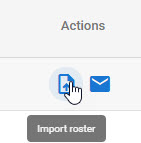
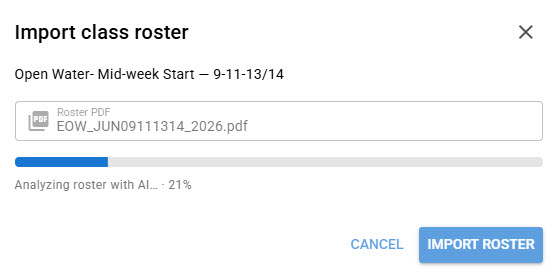
Open the class Actions menu and choose Import roster. The dialog is tied to that class. Upload any student roster PDF. AI parses the format and imports the students into DiveCrewPro, whether the file is PADI, SSI, NAUI, or something else.
Review the Roster
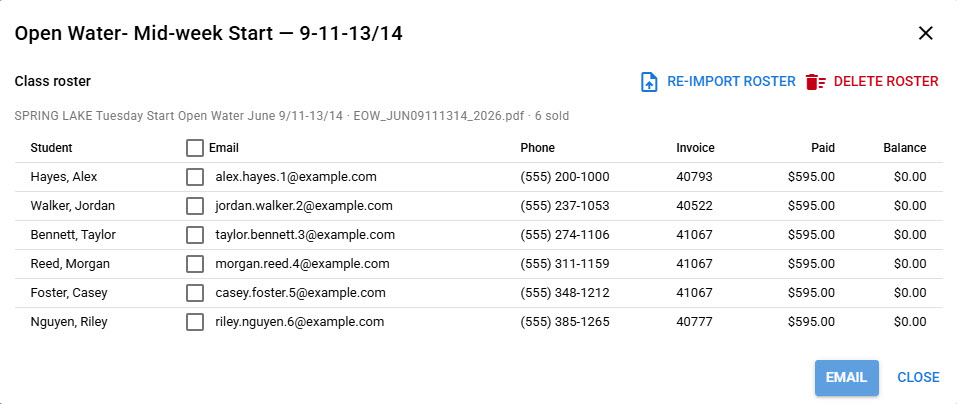
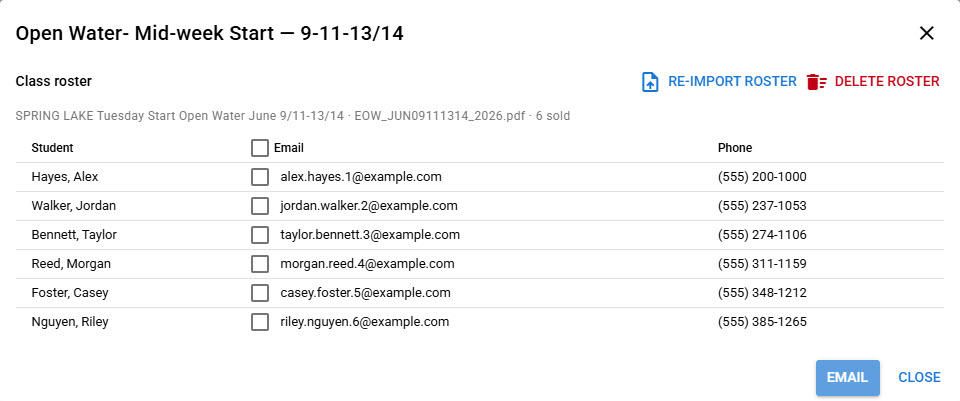
Admins see each student with email, phone, invoice, amount paid, and balance. Pros see student, email, and phone. When pro imports are allowed in settings, both can re-import the PDF, delete the roster, or email the class.
Email the Class
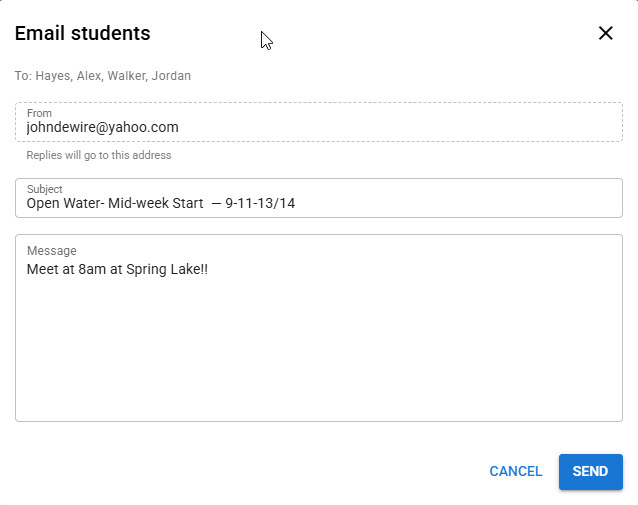
Select the students attending the class and send them a message. The subject starts with the class name, and replies go to your address.
Ready to email a class from the roster?
Import any student roster with AI, then message the students in that class from DiveCrewPro.