Pro Blackout Dates: Stay Clear of Classes You Can't Teach
Instructors and divemasters mark when they're unavailable. DiveCrewPro blocks conflicting requests, warns on existing conflicts, and flags blackout overlaps for shop admins—so vacation and travel don't turn into scheduling mistakes.
Start 60-Day Free TrialAvailability Built Into the Schedule
Blackout dates put each pro's unavailability where it belongs—on the schedule—so requests and assignments stay honest without another spreadsheet or group text.
Set Your Blackout Dates
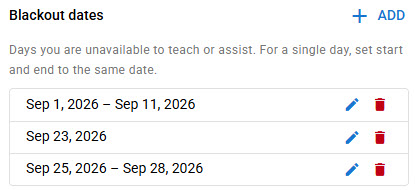
Pros add single days or date ranges for time they're unavailable to teach or assist. Edit or remove ranges anytime—no admin ticket required for a weekend trip or a week away.
Block Requests During Blackouts
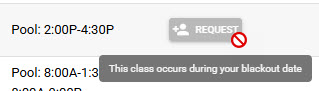
When a class falls on a blackout date, the Request button is disabled with a clear explanation. Pros can't accidentally bid on sessions they already marked as unavailable.
Warn on Existing Request Conflicts
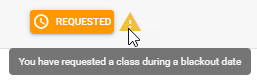
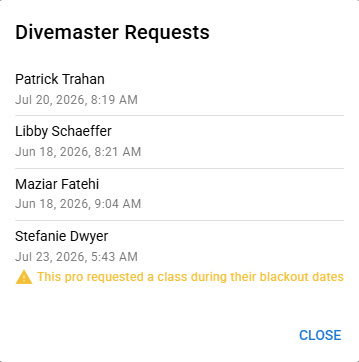
If a request was made before a blackout was added—or dates changed later—DiveCrewPro shows a warning next to the request so the conflict is visible before anyone confirms the roster.
Flag Assignments on Blackout Days
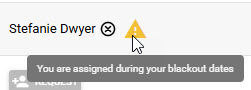
Already assigned during a blackout? Pros see a warning on the schedule so they can raise it early—before a pool session or open water day becomes a last-minute scramble.
Admins See Blackout Conflicts in Requests
When reviewing instructor or divemaster requests, shop admins get a clear callout if a pro requested a class during their blackout dates—so assignments stay fair and realistic.
Fewer Conflicts. Cleaner Schedules.
Blackout dates keep pro availability in DiveCrewPro—blocking bad requests, surfacing warnings, and giving admins the context they need before they assign.
Start 60-Day Free TrialSee also: scuba pro portal and scuba instructor scheduling.