Teaching Reports: See What You Teach and Who Teaches It
Admin charts show your class mix month by month and how many classes each pro taught. Click a class type or a pro to filter, and plan staffing with real numbers instead of guesses.
Start 60-Day Free TrialYour Year of Classes, Charted
The admin dashboard turns your schedule into charts, so busy months, popular courses, and pro workloads are visible without exporting anything.
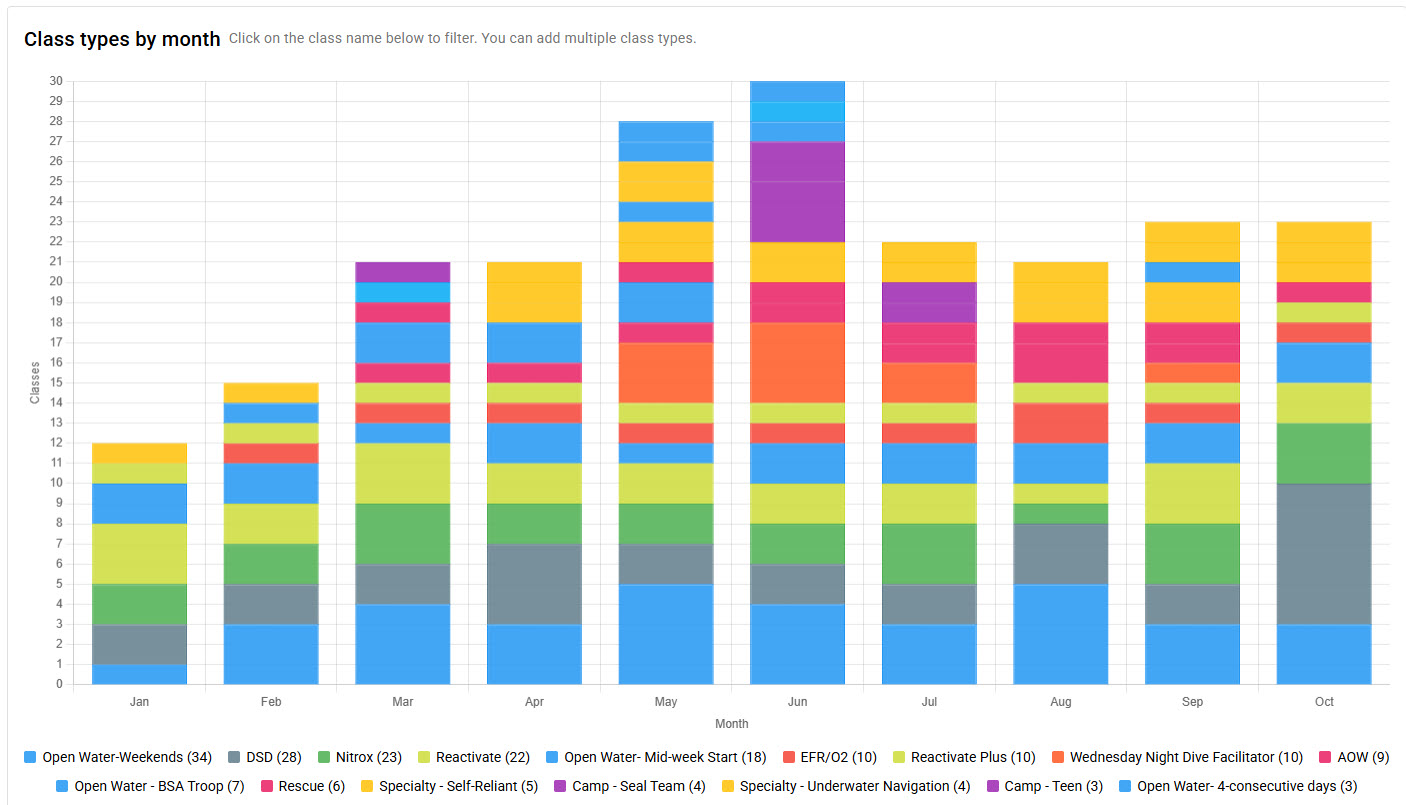
Class Types by Month
A stacked bar chart shows how many classes of each type ran every month. Click class names in the legend to focus on one or several types, like Open Water against Discover Scuba Diving, and see how demand shifts through the season.
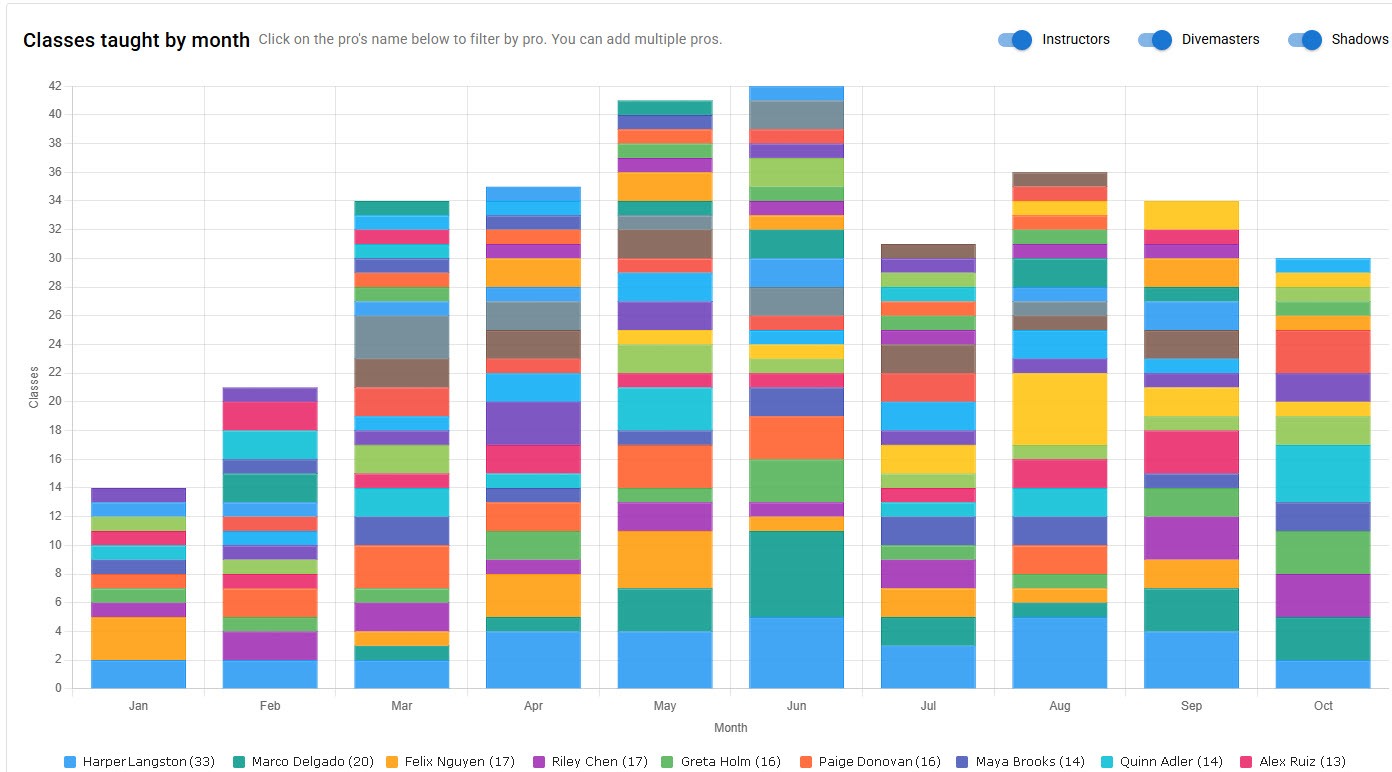
Classes Taught by Month
See how many classes each pro taught every month, with their yearly total in the legend. Toggle Instructors, Divemasters, and Shadows on or off, and click pros to compare a few side by side. DiveCrewPro also lists the pros who didn't teach, so you can spot who needs more time on the schedule.
Plan Staffing with Real Numbers
Teaching reports show which courses drive your busy season and how evenly work is spread across your pros.
Start 60-Day Free TrialSee also: dive shop management software, scuba instructor scheduling, and schedule by location.